Features
Inka is a page builder that sits above your CMS and your frontends. Editors build pages on the real site from your design system's blocks, the CMS keeps the content and the workflow, and any frontend renders it. It is open source under the MIT licence, ready for production, and in use on NSW Government sites.
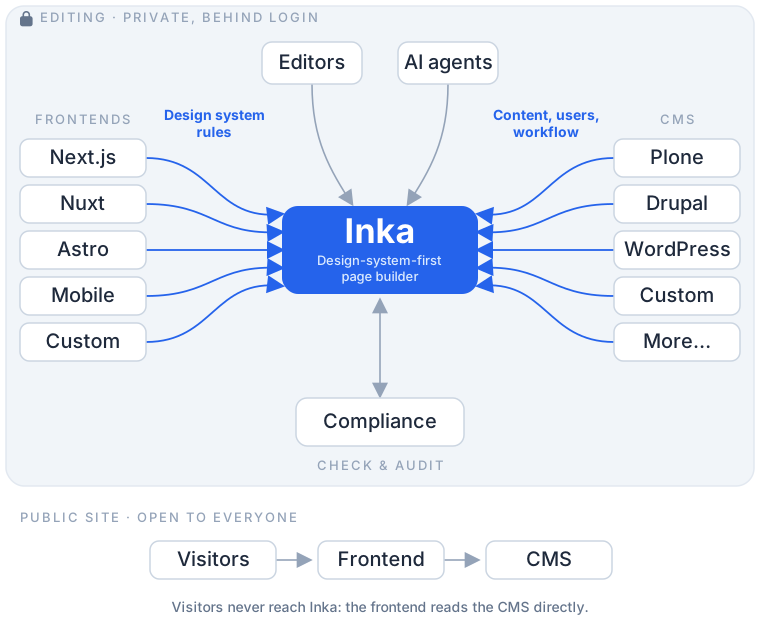
Three layers, each replaceable. The CMS keeps content, workflow, users and permissions. Inka does the page building and applies your design system's rules. The frontends render the site in any framework. Editing is private, behind a login; the public site reads the CMS directly and never reaches Inka. How Inka works
For editors
Edit on the real page
Editors click, type and drag on the page as visitors will see it, in the frontend that will render it. There is no separate preview to check against. It works on a phone as well as a desktop.
Only the blocks that belong
The block palette offers only what your design system allows in that place, for that page and content type. Editors get enough control over layout to make a page worth reading, and nothing that takes it off-system.
See it in every frontend and on every screen
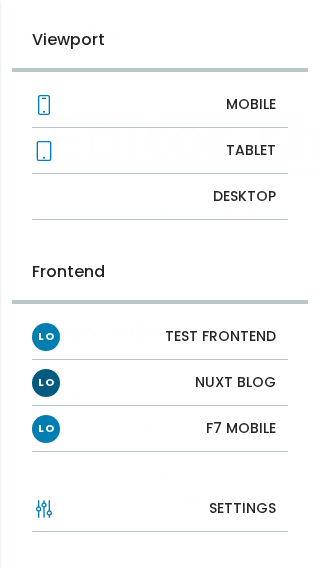
Where more than one frontend shows the same content, editors switch between them while editing and see the page in each design system before publishing. They can also switch between mobile, tablet and desktop.
Templates and snippets
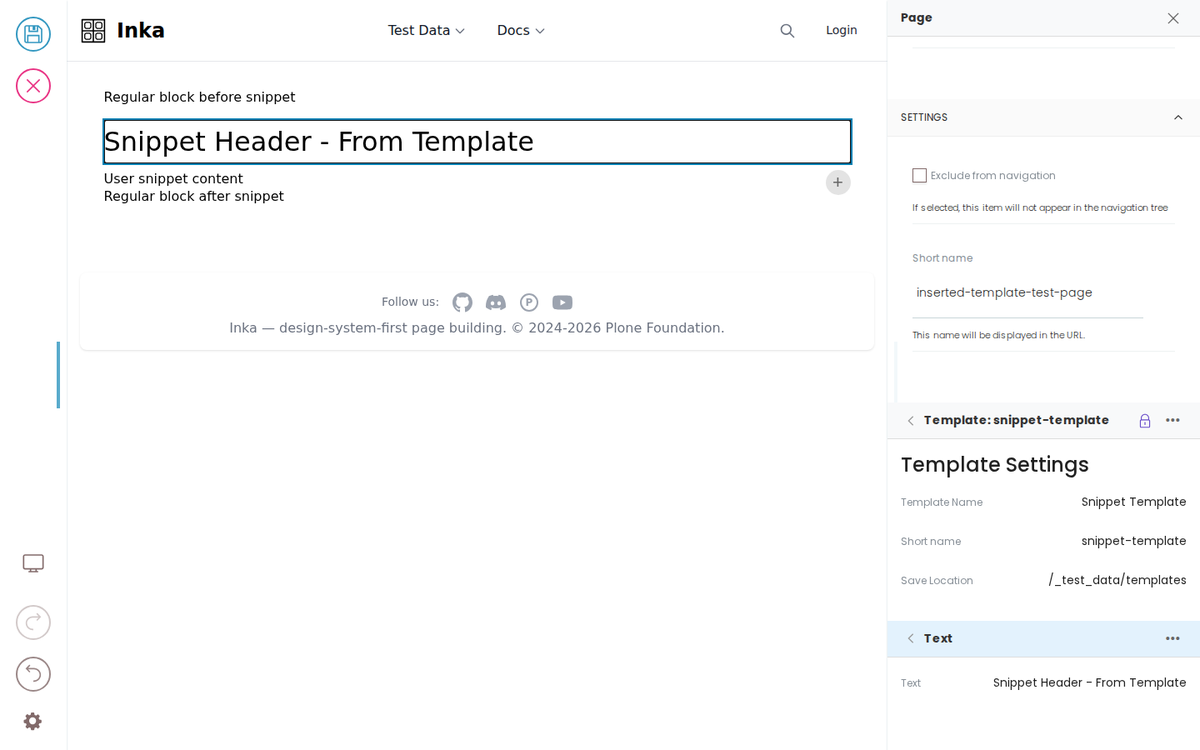
A template is made of blocks that are locked, fixed or open. Locked blocks, such as a branded header or a disclaimer, cannot be edited, moved or deleted. Fixed blocks are always there but filled in page by page. Open slots take whatever blocks the design system allows there.
A layout shapes a whole page and can be required by content type, so every page of that type has the same sections in the same order. A snippet, such as a contact panel, is inserted where an editor chooses. Templates are stored once as content in the CMS, so a change made once, with the right permission, applies to every page that uses it.
Forms, listings and search, built from blocks
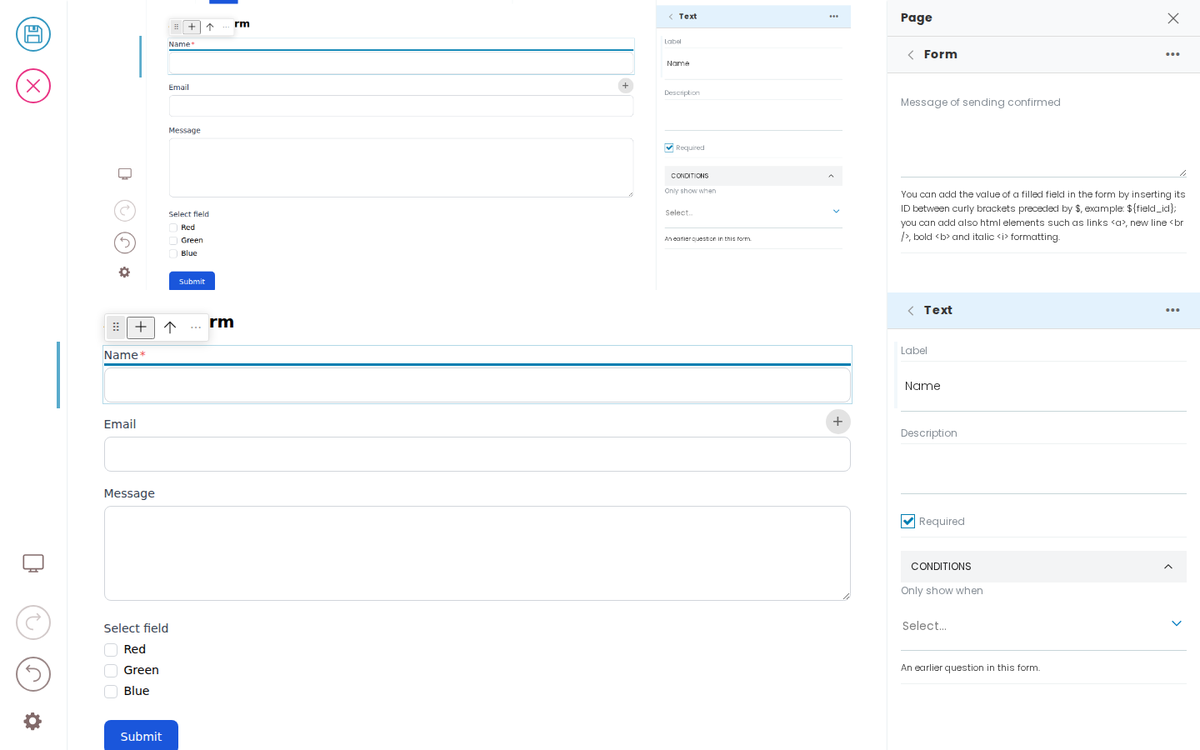
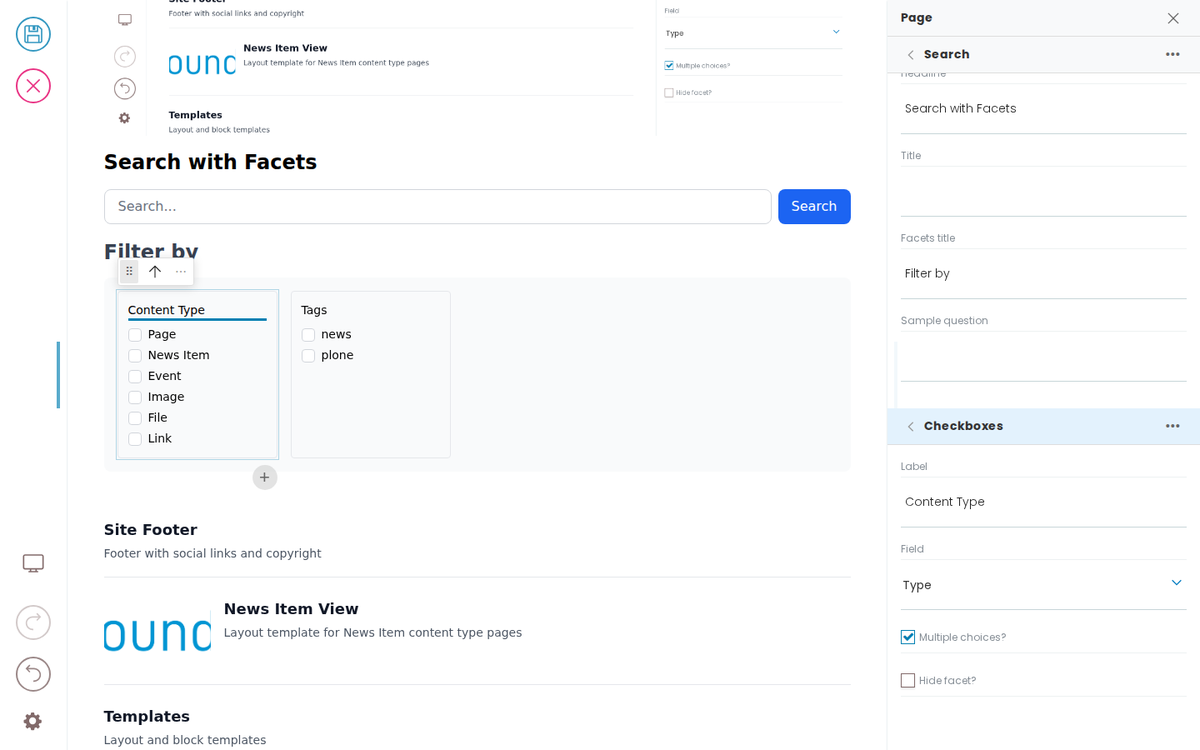
A form is a block made of field blocks, each matching the design system, with its label, whether it is required and conditions for when it shows. Developers decide what a form can do on submit, such as send to a CRM or store in the CMS, so a new form can only use those routes. A search page is built the same way from the search box, each facet, the results and the result card.
Translate side by side
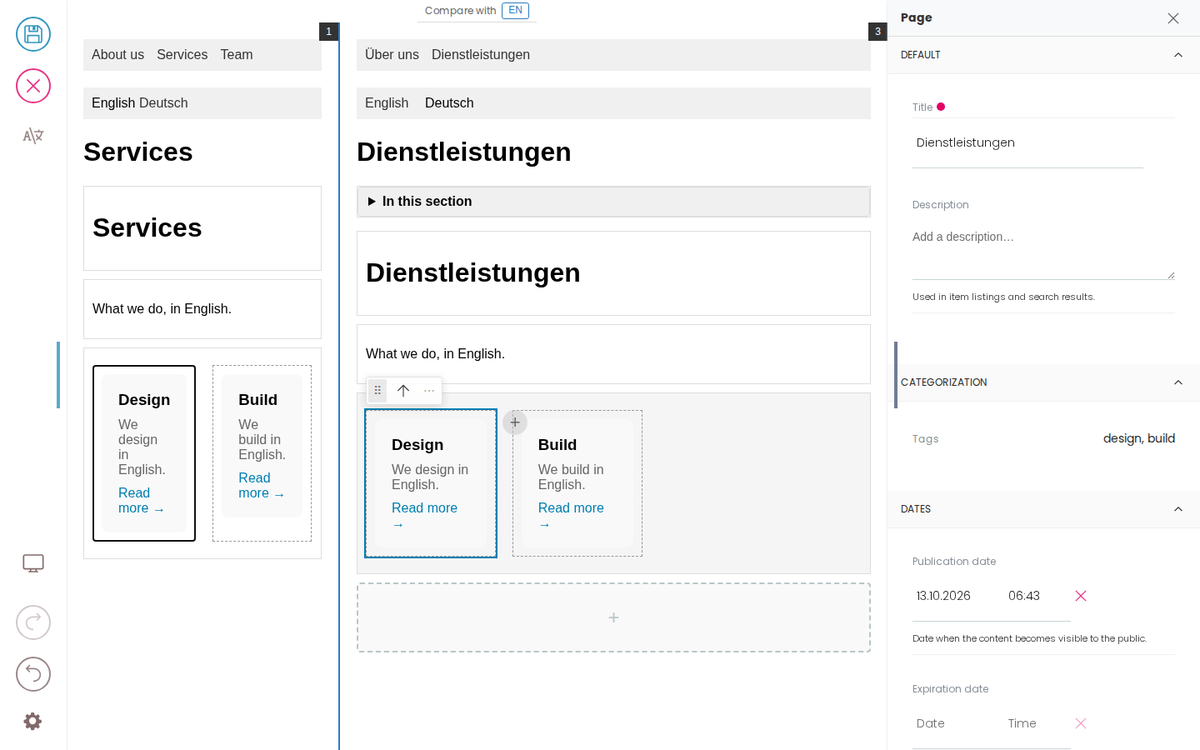
Translators edit with the original page open beside them, drawn by the same frontend. A translation can change its layout where the language needs it. Inka marks which blocks are still untranslated and which are out of date because the original has changed.
For governance and compliance
Rules checked while the page is written
Each block declares what it allows, and your own content standards sit alongside. A hard rule stops the save. A soft rule shows beside the field for the editor to judge, so problems are fixed as the page is written instead of turning up in an audit months later.
Checks are plugins. Add checks for your own standards alongside standard ones such as accessibility or reading level.
A record of what was checked and who signed it off
Inka Assure keeps the evidence for each published version: which checks ran, what they found, and who signed off anything that needed a person's judgement. Where an editor needs to depart from a rule, it is signed off rather than blocked, so you get a register of exceptions instead of finding them later. It is in development, planned for late 2026, and available licensed to run yourself or as our hosted service.
Workflow from your CMS, in the same screen
Inka shows the workflow steps open to each editor on each page. A step can have a dialog the editor completes first, to set a schedule, a reviewer, tags or a comment. Single sign-on, roles and approvals come from your CMS, and Inka uses them as they are.
Compare versions
Where the CMS keeps versions, editors open an earlier one, compare it side by side with the current page, each rendered by the frontend, and restore it.
Dashboards
Saved queries become lists on a dashboard, so each role sees its own: drafts, approval queues, overdue reviews. Each adapter offers the fields its CMS can query, such as workflow state, owner and scheduled dates.
For developers
Any framework
Nuxt, Next.js, Astro, Vue and Framework7 work today, and so do server-rendered sites in PHP, Django, Rails or Laravel. You add a plain JavaScript library with no framework dependency and a few HTML attributes. There is no SDK to adopt and no framework to switch to.
Your markup, unchanged
Inka adds no wrapper markup or styles to the public page. The frontend renders the design system's own HTML and CSS, so components keep the accessibility they were tested with. Where you cannot change the markup, such as a third-party component, HTML comments make parts of it editable.
Blocks from a schema
Each block is described by a schema: its fields, what can go inside it and what each field accepts. Map any design-system component to a block, and blocks inside blocks. Editors then configure them without a developer.
Test blocks in CI
Content is authored as Markdown and served through a mock API, so you can preview and test a whole site without a running backend. Block tests check that every block still renders. Testing and the mock API
Adapters for any content store
A plugin system
Adapters, checks and capabilities such as Inka Assure are plugins installed in Inka. Write your own with the same interfaces the built-in ones use. Plugins
For IT and security
Open source, and yours to run
Inka is open source under the MIT licence: the editor, the rules, the adapters and the adapter contract suite. Install it on your own infrastructure; nothing phones home and no content leaves your network. Or we run it for you on an instance of its own.
Nothing to lose or migrate
Inka keeps no content of its own. Pages are stored in the CMS in Inka's block format, so Inka can be replaced or rebuilt without touching the content, and a later change of CMS moves the pages as they are.
Private editing, public reading
Inka sits behind a login, and can sit behind your VPN. Visitors reach only the frontend, which reads the CMS directly. The editing script is loaded only for editing, so the public site does not carry it.
Static, server-rendered or single-page
Frontends can be built as static pages, rendered on the server or run as a single-page app, and served through a CDN. Choose per site.
Security fixes to fixed timescales
Report vulnerabilities privately to security@pretagov.com. The security and maintenance subscription covers security fixes on the version you run: critical and high within 14 days, actively exploited within 72 hours, with advance notice of security releases.
For AI
Agents under the same rules as people
Coming soon. AI agents will connect over MCP with the access an editor has, and be offered only the blocks your design system allows. What they write goes through the same checks and the same workflow as an editor's work. MCP for AI agents