Table
A table with rich text (Slate) content in each cell. Supports adding/removing rows and columns via toolbar actions.
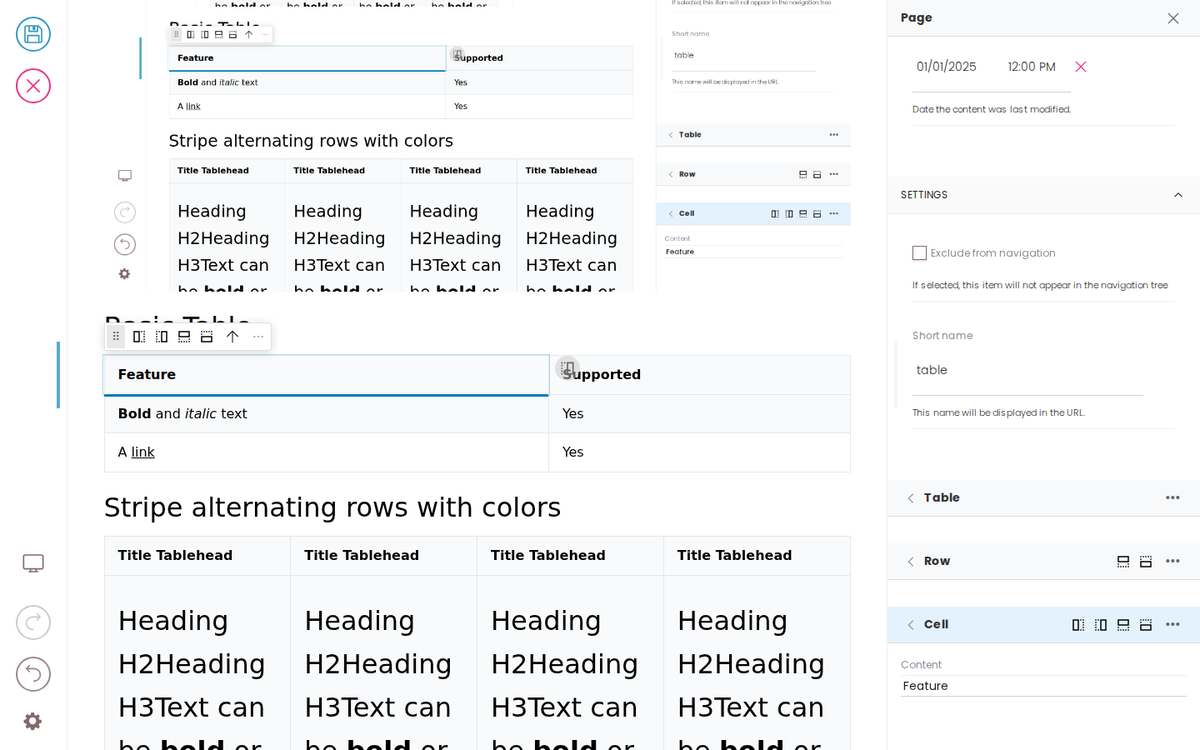
Basic Table
Feature | Supported |
|---|---|
Bold and italic text | Yes |
A link | Yes |
Stripe alternating rows with colors
Title Tablehead | Title Tablehead | Title Tablehead | Title Tablehead |
|---|---|---|---|
Heading H2Heading H3Text can be bold or italic or a Link | Heading H2Heading H3Text can be bold or italic or a Link | Heading H2Heading H3Text can be bold or italic or a Link | Heading H2Heading H3Text can be bold or italic or a Link |
Heading H2Heading H3Text can be bold or italic or a Link | Heading H2Heading H3Text can be bold or italic or a Link | Heading H2Heading H3Text can be bold or italic or a Link | Heading H2Heading H3Text can be bold or italic or a Link |
Heading H2Heading H3Text can be bold or italic or a Link | Heading H2Heading H3Text can be bold or italic or a Link | Heading H2Heading H3Text can be bold or italic or a Link | Heading H2Heading H3Text can be bold or italic or a Link |
Heading H2Heading H3Text can be bold or italic or a Link | Heading H2Heading H3Text can be bold or italic or a Link | Heading H2Heading H3Text can be bold or italic or a Link | Heading H2Heading H3Text can be bold or italic or a Link |
Basic Table
Title Tablehead | Title Tablehead | Title Tablehead | Title Tablehead |
|---|---|---|---|
Heading H2Heading H3Text can be bold or italic or a Link | Heading H2Heading H3Text can be bold or italic or a Link | Heading H2Heading H3Text can be bold or italic or a Link | Heading H2Heading H3Text can be bold or italic or a Link |
Heading H2Heading H3Text can be bold or italic or a Link | Heading H2Heading H3Text can be bold or italic or a Link | Heading H2Heading H3Text can be bold or italic or a Link | Heading H2Heading H3Text can be bold or italic or a Link |
Heading H2Heading H3Text can be bold or italic or a Link | Heading H2Heading H3Text can be bold or italic or a Link | Heading H2Heading H3Text can be bold or italic or a Link | Heading H2Heading H3Text can be bold or italic or a Link |
Heading H2Heading H3Text can be bold or italic or a Link | Heading H2Heading H3Text can be bold or italic or a Link | Heading H2Heading H3Text can be bold or italic or a Link | Heading H2Heading H3Text can be bold or italic or a Link |
Stripe alternating rows with colors
Title Tablehead | Title Tablehead | Title Tablehead | Title Tablehead |
|---|---|---|---|
Heading H2Heading H3Text can be bold or italic or a Link | Heading H2Heading H3Text can be bold or italic or a Link | Heading H2Heading H3Text can be bold or italic or a Link | Heading H2Heading H3Text can be bold or italic or a Link |
Heading H2Heading H3Text can be bold or italic or a Link | Heading H2Heading H3Text can be bold or italic or a Link | Heading H2Heading H3Text can be bold or italic or a Link | Heading H2Heading H3Text can be bold or italic or a Link |
Heading H2Heading H3Text can be bold or italic or a Link | Heading H2Heading H3Text can be bold or italic or a Link | Heading H2Heading H3Text can be bold or italic or a Link | Heading H2Heading H3Text can be bold or italic or a Link |
Heading H2Heading H3Text can be bold or italic or a Link | Heading H2Heading H3Text can be bold or italic or a Link | Heading H2Heading H3Text can be bold or italic or a Link | Heading H2Heading H3Text can be bold or italic or a Link |
Developer Reference
Schema
Pass this object inside the blocks option when calling initBridge() to register this block type with the admin UI. See Custom Blocks for the full setup guide.
    slateTable: {
        id: 'slateTable',
        title: 'Table',
        group: 'common',
        addMode: 'table',
        blockSchema: {
            properties: {
                table: {
                    widget: 'object',
                    schema: {
                        properties: {
                            rows: {
                                widget: 'object_list',
                                idField: 'key',
                                addMode: 'table',
                                schema: {
                                    properties: {
                                        cells: {
                                            widget: 'object_list',
                                            idField: 'key',
                                            schema: {
                                                properties: {
                                                    value: { title: 'Content', widget: 'slate' },
                                                },
                                            },
                                        },
                                    },
                                },
                            },
                        },
                    },
                },
            },
        },
    }
JSON Block Data
Example block JSON (as stored in the CMS). This is the data structure your component will receive in the block prop.
{
  "@type": "slateTable",
  "table": {
    "celled": true,
    "fixed": true,
    "rows": [
      {
        "cells": [
          {
            "type": "header",
            "value": [
              {
                "type": "p",
                "children": [
                  {
                    "text": "Feature"
                  }
                ]
              }
            ],
            "key": "i-7"
          },
          {
            "type": "header",
            "value": [
              {
                "type": "p",
                "children": [
                  {
                    "text": "Supported"
                  }
                ]
              }
            ],
            "key": "i-8"
          }
        ],
        "key": "i-6"
      },
      {
        "cells": [
          {
            "type": "data",
            "value": [
              {
                "type": "p",
                "children": [
                  {
                    "type": "strong",
                    "children": [
                      {
                        "text": "Bold"
                      }
                    ]
                  },
                  {
                    "text": " and "
                  },
                  {
                    "type": "em",
                    "children": [
                      {
                        "text": "italic"
                      }
                    ]
                  },
                  {
                    "text": " text"
                  }
                ]
              }
            ],
            "key": "i-10"
          },
          {
            "type": "data",
            "value": [
              {
                "type": "p",
                "children": [
                  {
                    "text": "Yes"
                  }
                ]
              }
            ],
            "key": "i-11"
          }
        ],
        "key": "i-9"
      },
      {
        "cells": [
          {
            "type": "data",
            "value": [
              {
                "type": "p",
                "children": [
                  {
                    "text": "A "
                  },
                  {
                    "type": "link",
                    "data": {
                      "url": "./index.md"
                    },
                    "children": [
                      {
                        "text": "link"
                      }
                    ]
                  }
                ]
              }
            ],
            "key": "i-13"
          },
          {
            "type": "data",
            "value": [
              {
                "type": "p",
                "children": [
                  {
                    "text": "Yes"
                  }
                ]
              }
            ],
            "key": "i-14"
          }
        ],
        "key": "i-12"
      }
    ]
  }
}
Rendering
How this block renders in your frontend. Add its handling to your renderer, or — for list-style blocks — register a fetcher and reuse your list rendering.
function TableBlock({ block }) {
  const rows = block.table?.rows || [];
  return (
    <div data-block-uid={block['@uid']}>
      <table>
        <tbody>
          {rows.map(row => (
            <tr key={row.key} data-block-uid={row.key}>
              {row.cells.map(cell => (
                <td key={cell.key} data-block-uid={cell.key} data-edit-text="value">
                  {(cell.value || []).map((node, i) => (
                    <SlateNode key={i} node={node} />
                  ))}
                </td>
              ))}
            </tr>
          ))}
        </tbody>
      </table>
    </div>
  );
}